Building an AI-Fluent
Design Org from
the Inside Out
Took a 150+ person design organization from AI-curious to 100% daily AI adoption in under a year. Without mandates. Inside an enterprise with real security, legal, and compliance constraints.
AI-curious but stuck
In late 2024, Red Hat's UXD org was in the same place as most enterprise design teams: AI was everywhere in the conversation, nowhere in the workflow. Designers worried about being replaced. Enterprise security meant no unapproved tools. Leadership wanted progress but had no playbook. I took ownership and built one: a phased strategy spanning 15 months.
Educate
Make AI feel accessible,
not threatening
Before anyone touched a tool, the org needed honest context. I led monthly sessions demystifying AI for designers: what it actually is, what it can and can't do, and what it means for UX work specifically. Use cases mapped to daily reality: getting up to speed on dense engineering concepts, generating first-draft personas, synthesizing research data, and drafting the stakeholder communications that quietly eat designer time.
Hands-on before enterprise
tools were available
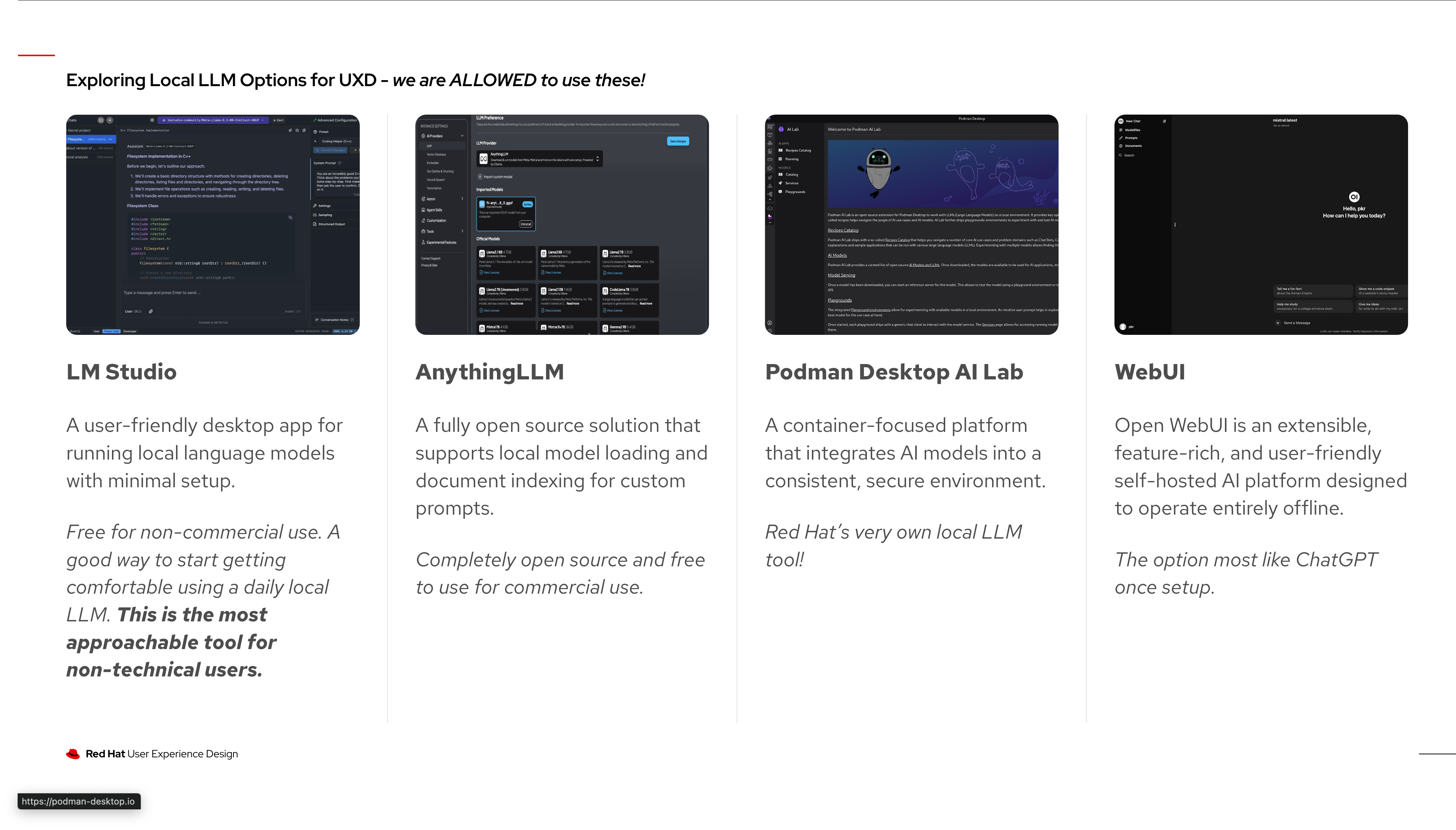
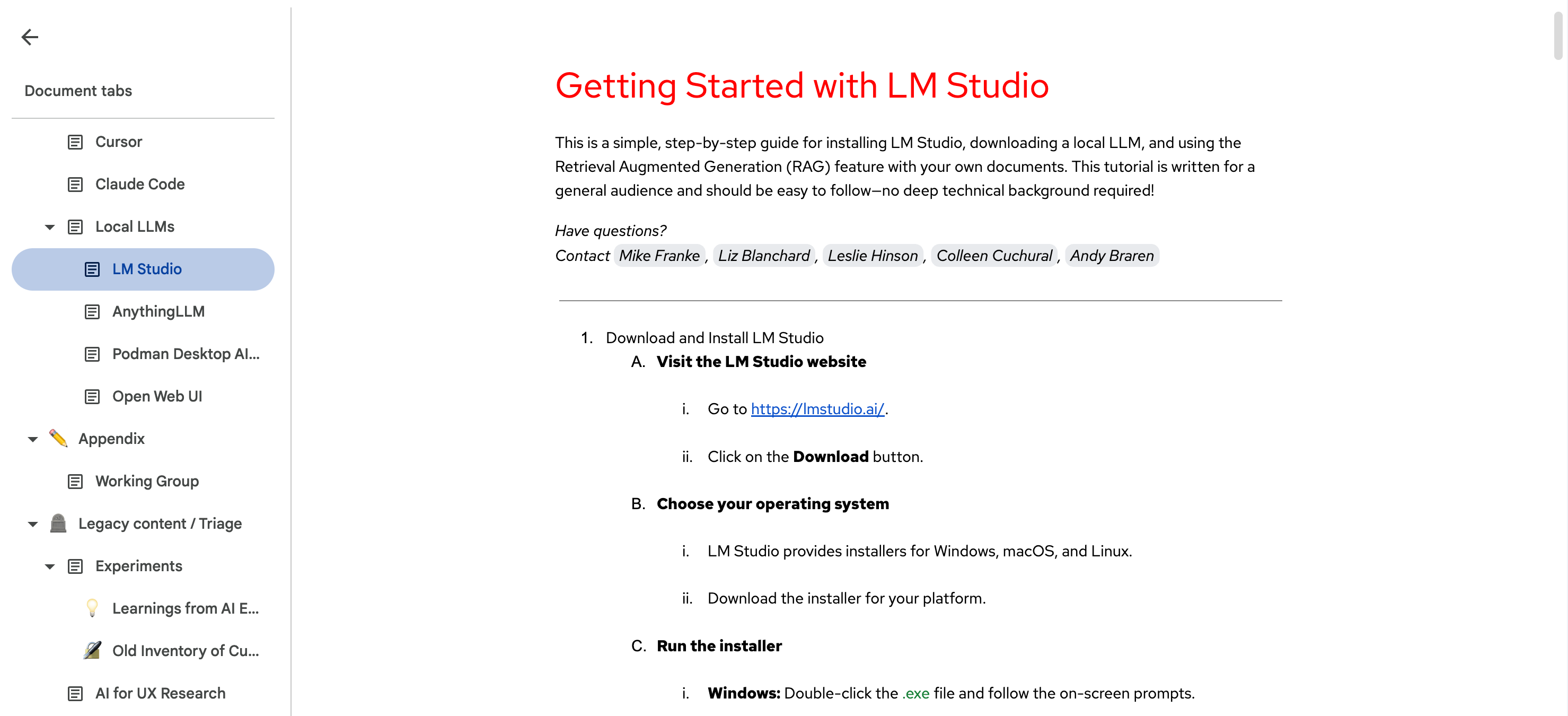
Red Hat's enterprise AI tools weren't available yet, so I wrote hands-on getting-started guides for local LLMs like Cursor and LM Studio: step-by-step docs built for non-engineers who wanted to start now, not wait for procurement. When MCP (Model Context Protocol) started getting traction, I introduced it to the org early so the team understood what was coming before it arrived.
Experiment
Make it social.
Make it safe to try.
I launched a dedicated quarter of structured experimentation, created the #uxd-ai-experiments Slack channel, and formed three tiger teams (Tooling, Prototyping, Research), directly leading Tooling. I helped shape the VP's formal Q2 2025 org goal: experiment with AI. The infrastructure from Phase 1 meant the org had a running start. By end of Q2, 113 members were actively sharing experiments across research, prototyping, writing, and workflow automation.
Cursor + Claude to generate a full prototype from a Figma spec in under 20 min. would have taken me a day manually. posting the prompt template in the thread 👇Real data, not assumptions
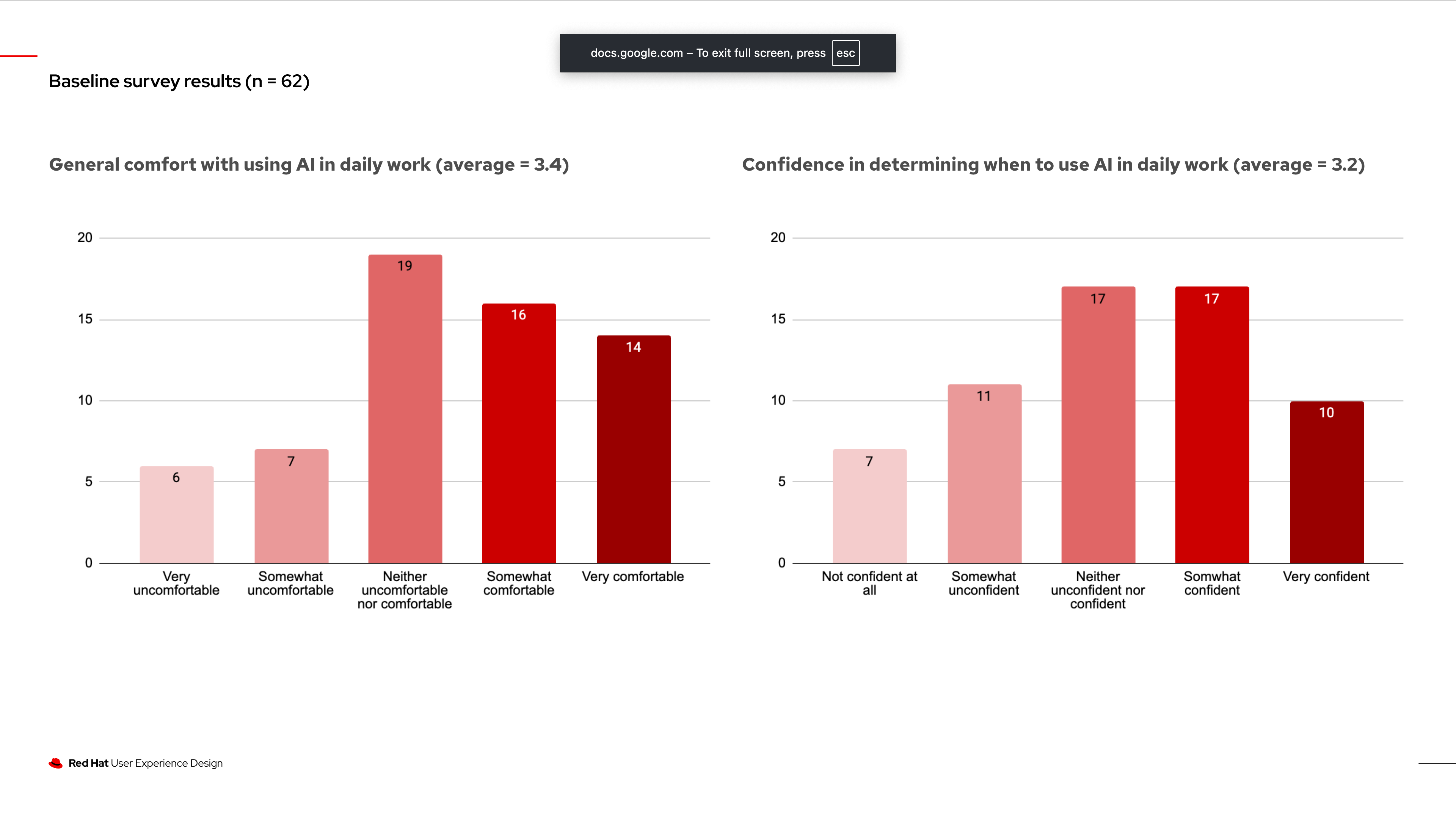
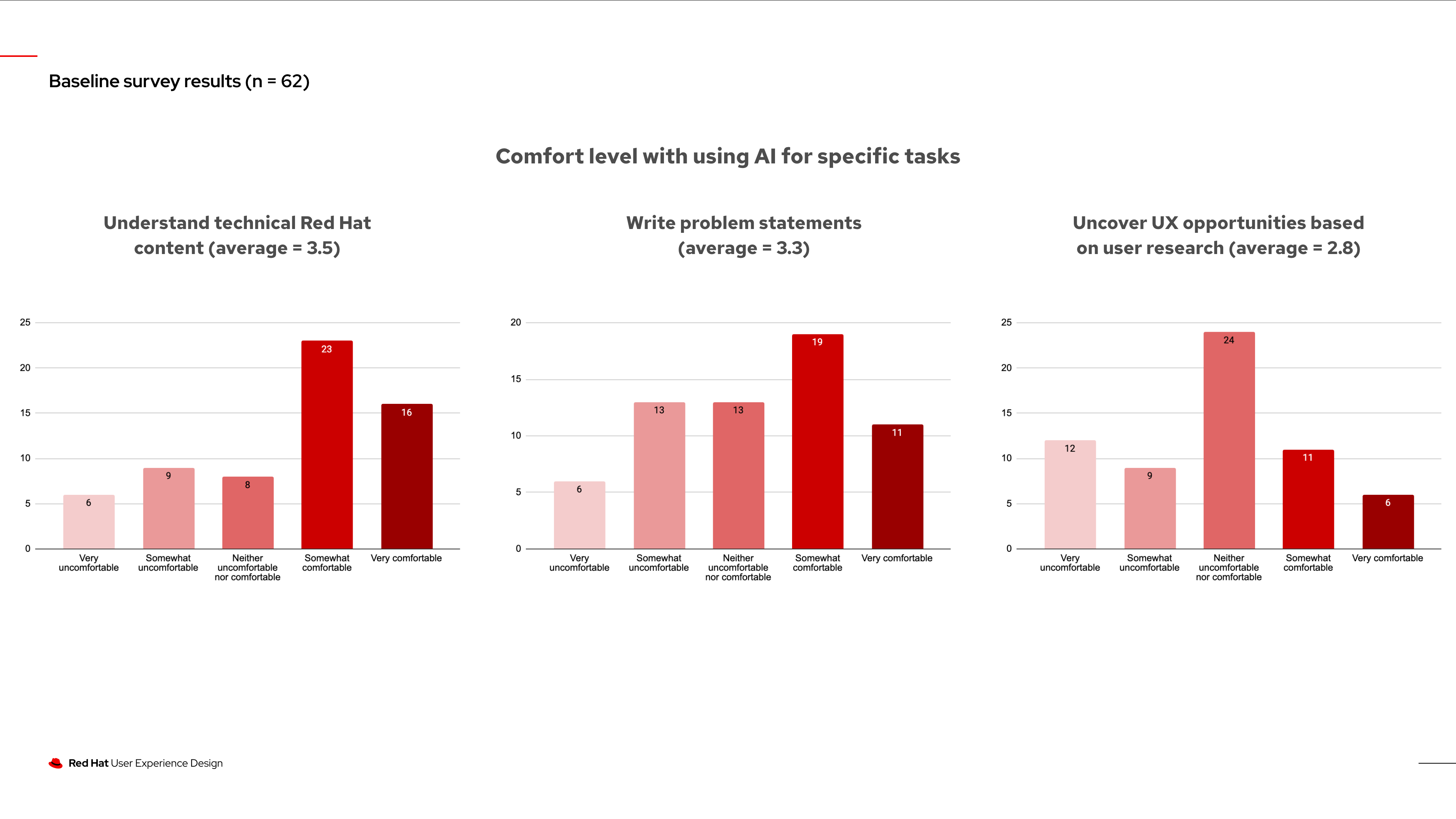
I partnered with UX Research to design and run an org-wide baseline survey (n=62) measuring adoption rates, comfort levels, and barriers. The data showed most designers were in the middle: neither uncomfortable nor confident, with the lowest scores around synthesizing UX opportunities from research. That gap shaped Phase 3's priorities.
Turn Slack noise into
institutional knowledge
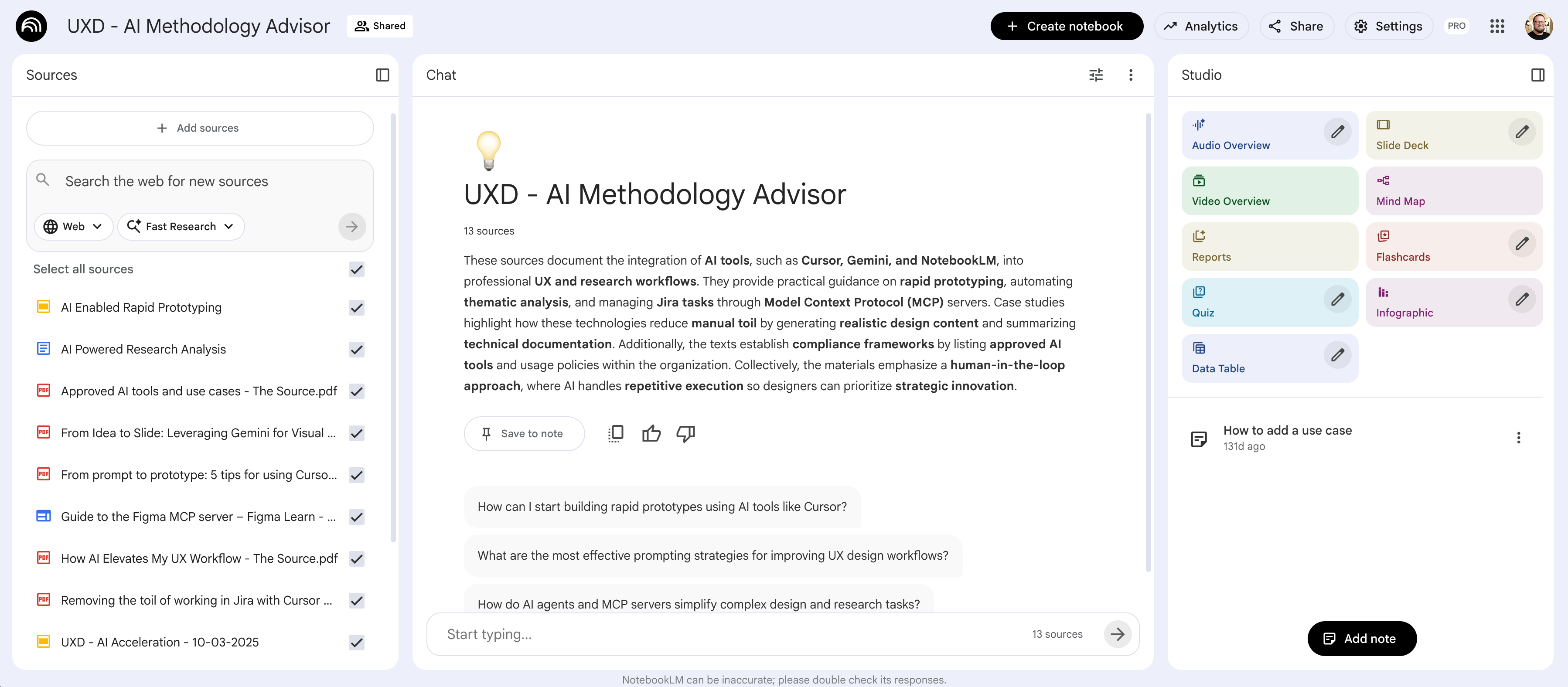
Working with our Ops team, I had designers formally submit their AI experiments and use cases. We used that data to build a NotebookLM knowledge base: an AI-powered resource where anyone could ask questions about AI workflows and get answers grounded in the team's real experiments. Scattered Slack conversations became a searchable, queryable knowledge base.
Operationalize
From experimenting to
using AI every day
The VP set the Q3 2025 goal: use AI day-to-day across the full 150+ person org. I helped shape that goal directly. The phased work from the prior two quarters became the blueprint for how leadership framed the org-wide direction.
Work within enterprise security,
not around it
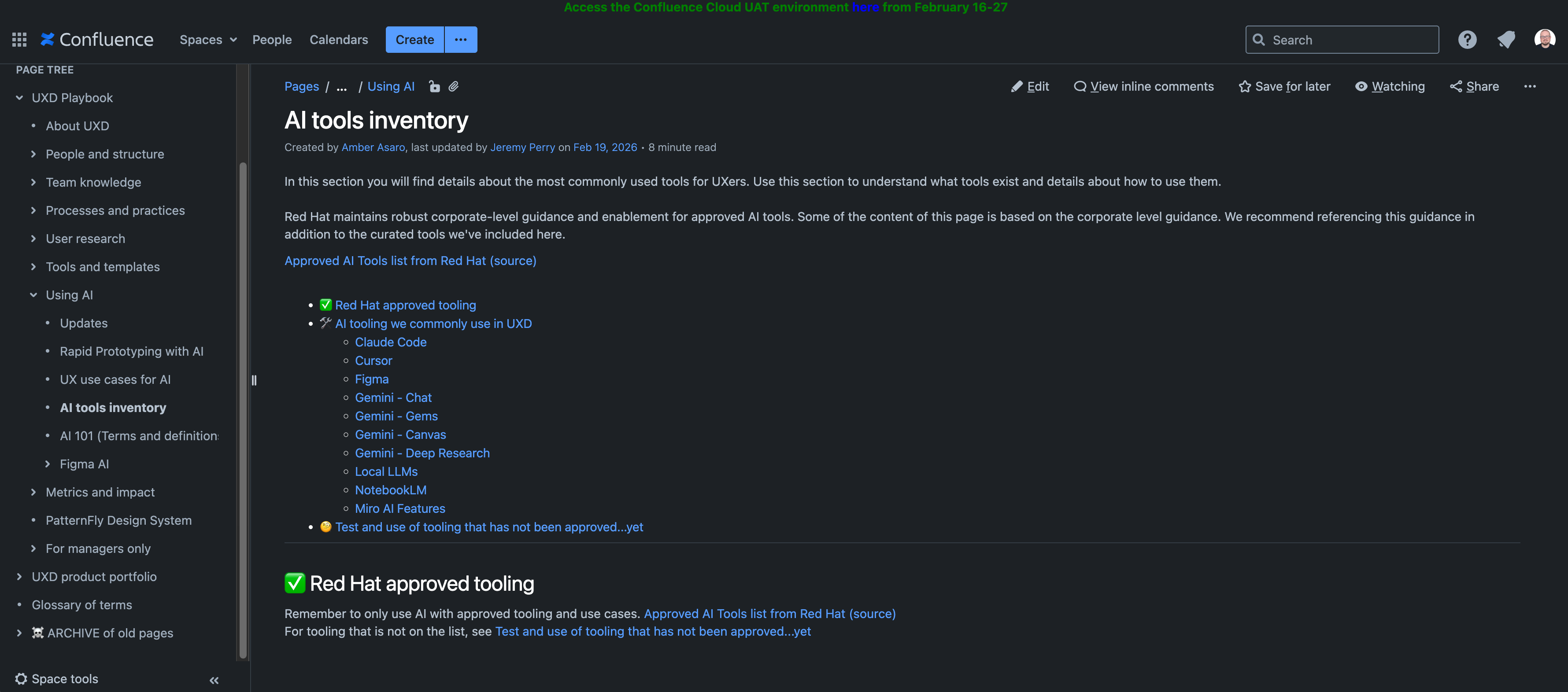
Getting AI tools approved at Red Hat requires coordination across the Design Program Office, Legal, Compliance, and Security. I became the first person at Red Hat to use a newly streamlined AI pilot process, defining the path rather than following one. Out of that work came the AI tools inventory: a single Confluence page listing every approved tool (Claude Code, Cursor, Figma, Gemini, Local LLMs, NotebookLM, Miro AI), what wasn't approved yet, and how to get started. No ambiguity. No shadow IT.
Product Engineering
Scale
From pilot proof point
to company-wide access
I ran the Figma AI pilot end-to-end: built executive alignment with a Distinguished Engineer, my VP, and Chief of Staff; negotiated a dedicated sandbox environment directly with Figma; and curated a pilot group of the org's most AI-forward designers. The strongest proof point came from the Ansible Automation Platform team, who used Figma AI on a live, high-priority project and turned around detailed, high-fidelity prototypes of complex automation workflows in a fraction of the usual time, giving engineering a much cleaner handoff.
"log_range": "last_30_days",
"services": 942
A business case built
on our own evidence
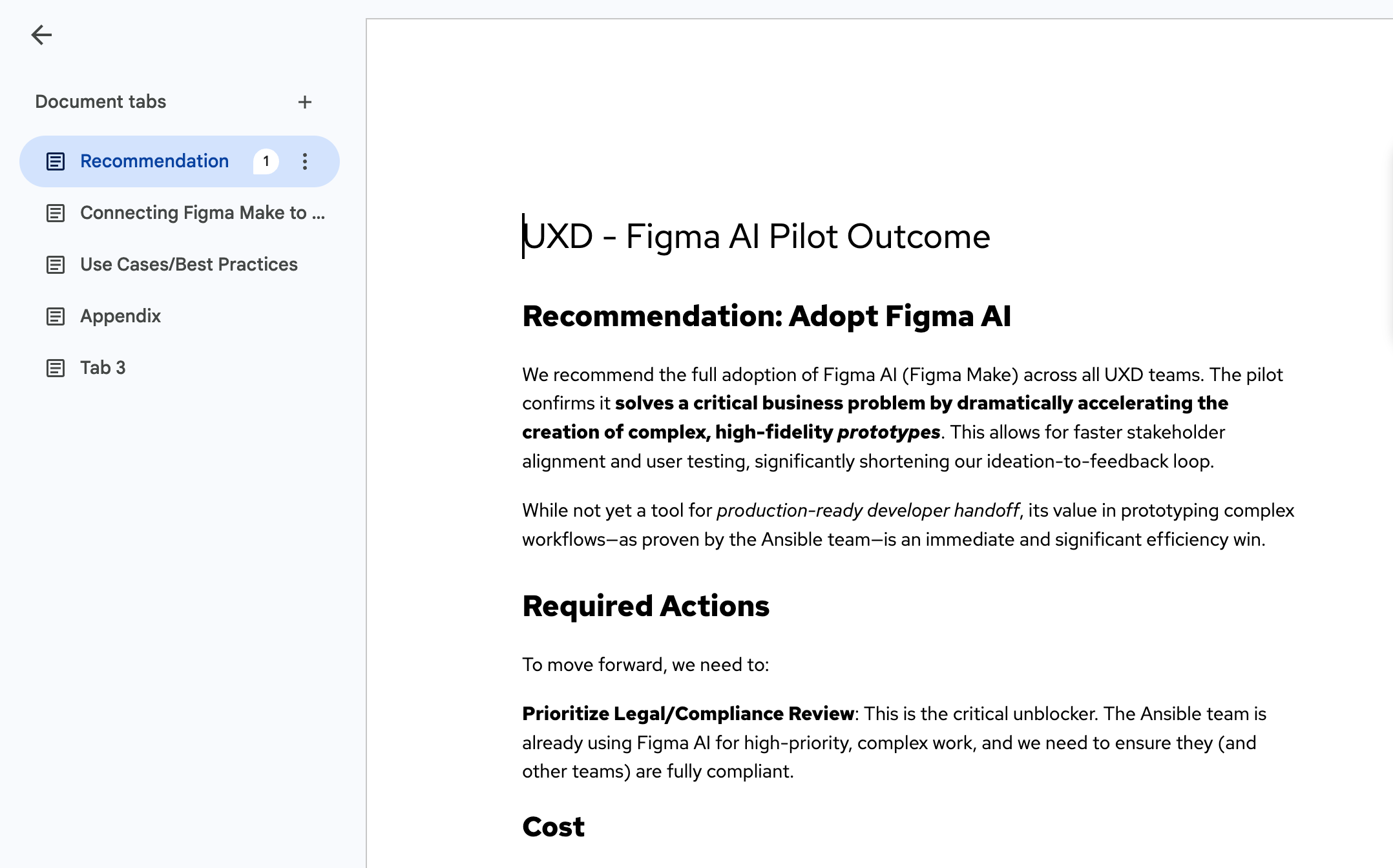
I synthesized the pilot findings into a formal recommendation document for my VP: concrete evidence that Figma AI solves a real problem at Red Hat, grounded in our own designers' work. That document shifted the conversation from "should we explore this?" to "our team has already proven this works." I partnered with another UX team outside of Product Engineering to get final sign-off across the company.
A tool rollout is only as good
as what comes with it
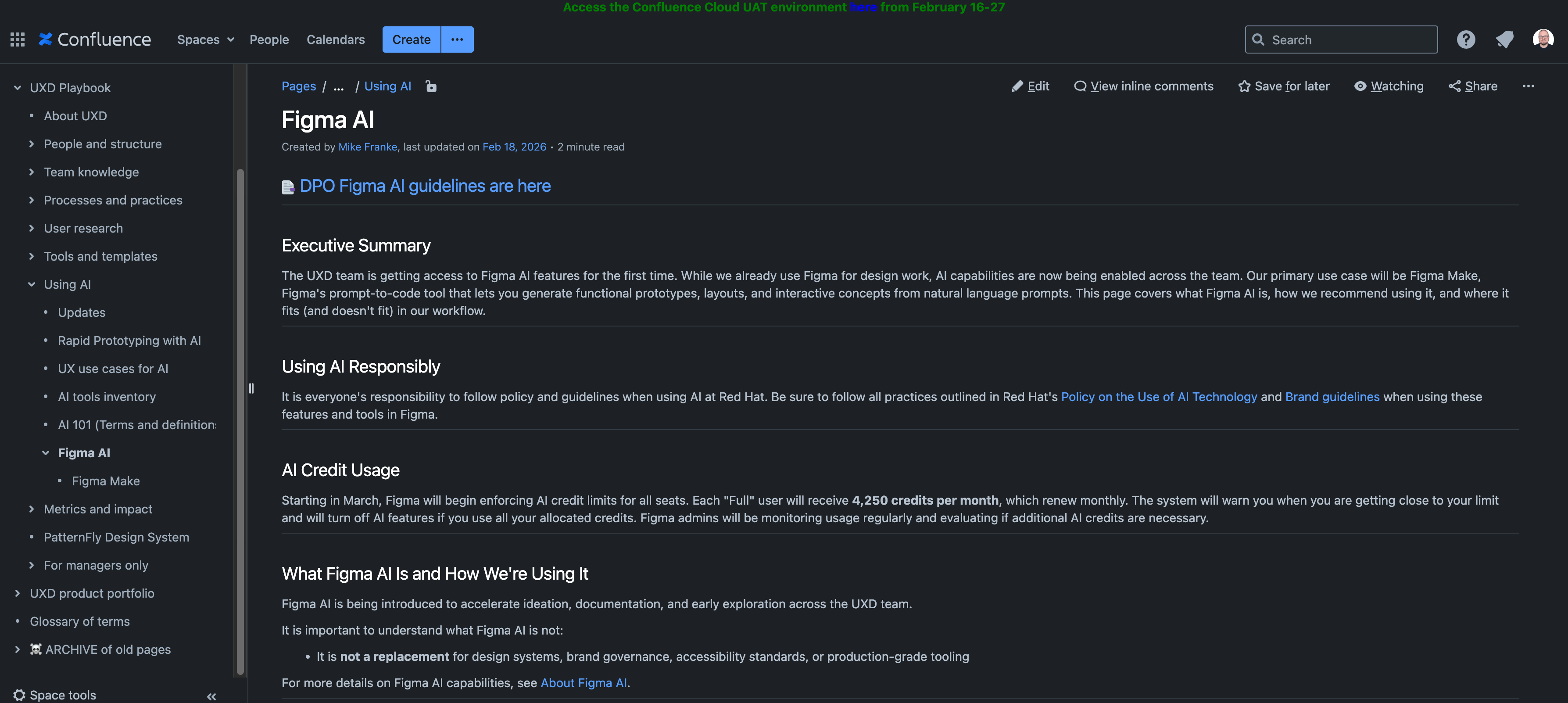
Once Figma AI was live, I wrote comprehensive Confluence documentation covering what it can do, how to use it responsibly, how credits work, and how to think about AI-generated outputs within Red Hat's design workflows. The goal was to answer every question a designer might have before they had to ask it.
Why it worked
Your leadership in driving the AI initiatives for our team has been nothing short of phenomenal.
Tremendous partner in our efforts on AI enablement this year. This has taken a lot of energy and stamina...